Keyboard Shortcuts
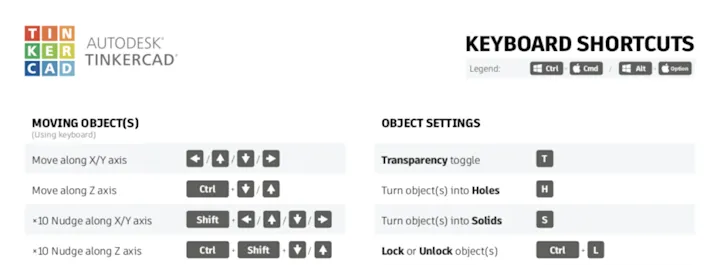
You can get away with not using Keyboard shortcuts in Tinkercad, but some are just invaluable to make your workflow in Tinkercad faster.
Editor Shortcuts
Section titled “Editor Shortcuts”ESSENTIAL
Undo
Ctrl Z
Duplicate
Ctrl D
Drop to Workplane
D
Uniform resizing while clicking shape white square corner
Shift ◻
Uniform resizing from center while clicking shape white square corner
Alt Shift ◻
Nudge object right(by grid size)
→
Nudge object right by 10 times the grid size
Shift →
Nudge object off workplace vertically
Ctrl ↑
When resizing or rotating, put focus on dimensions textbox
TAB
NICE TO KNOW
Make Transparent
T
Panning Shift+RightClick+Move workplane
Shift RC