Reverse Engineering Existing Tinkercad designs
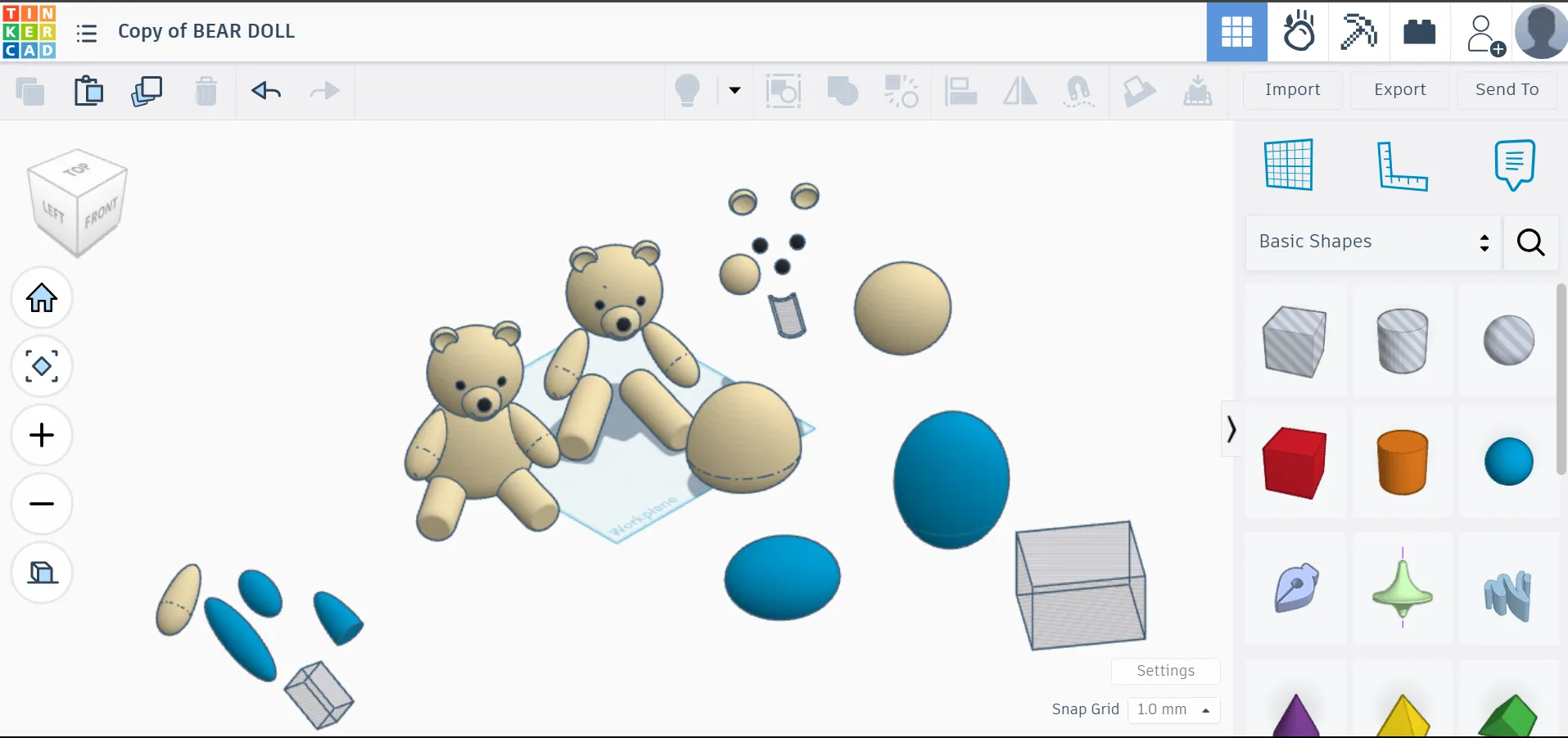
Sequence
Section titled “Sequence”-
Select object
-
Press Ctrl-D to duplicate or hit duplicate icon
-
move item away horizontally(use shift+arrow keys)
-
Then ungroup this object using ungroup icon, then click off(click on empty space)
-
Select the duplicate again, and move item away using shift+arrow keys. You will then see one of the consituent parts move away. You can move way other consituent parts also.
There are two options from here:
- if it is a basic shape, you are done breaking this down to its simplest, repeat the process for other shapes
- if it is a union of multiple shapes(you can tell by observing if ungroup icon is enabled or greyed out), then repeat step 5 for this selected object.
Finding dimensions
Section titled “Finding dimensions”Simply put a ruler on the workplane, then select an object to find its dimensions.